What client-side rendering is actually doing to your search rankings
If your site was built with React and your organic traffic has been flat or declining, there’s a decent chance the framework itself is part of the problem. Not React as a concept — React is excellent — but how it was implemented. Specifically, whether your content is being rendered on the server or handed off entirely to the browser.
This distinction matters more than most developers will tell you upfront, and it costs small businesses real money in missed search visibility every month.
Key Takeaways
- Pure client-side rendering (CSR) makes Googlebot work harder to index your content — and it sometimes just doesn’t bother
- JavaScript-heavy pages load slower, and Core Web Vitals directly affect rankings
- Next.js server-side rendering and static generation solve most of these problems without sacrificing interactivity
- Small business sites are disproportionately affected because they typically have less domain authority to absorb the penalty
- Fixing this isn’t just a “nice to have” — it’s often the highest-ROI technical change you can make
How Googlebot actually reads a React page
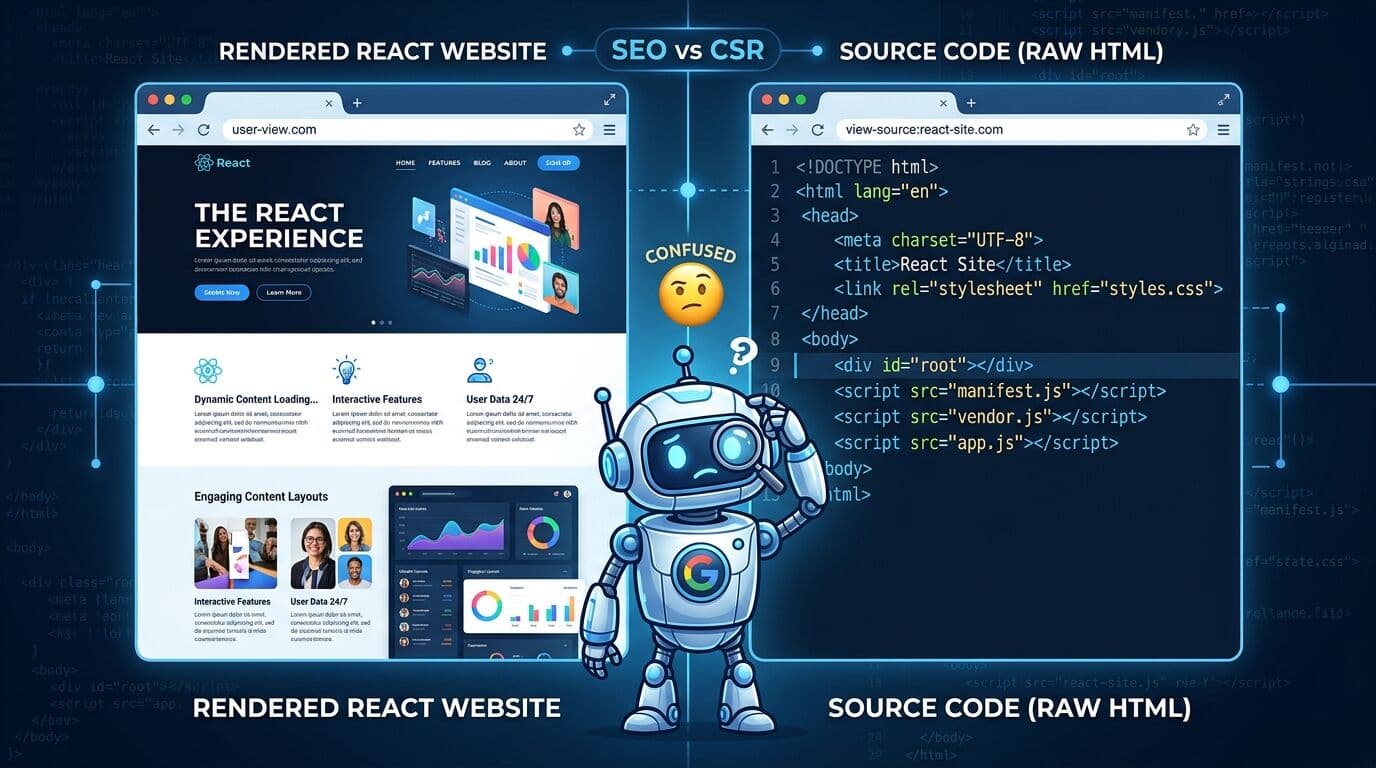
Here’s the thing most people don’t realize: when Googlebot crawls a page, it sees two things. First, the raw HTML that arrives from the server. Second — if it decides to come back and run JavaScript — the rendered version of that page.
With a standard client-side rendered React app, that first response is basically empty. Something like a single <div id="root"></div> and a bunch of script tags. Your actual content — your product descriptions, your service pages, your blog posts — doesn’t exist in that first pass.
Google does eventually process JavaScript. But this happens in a second wave of indexing, and it’s not guaranteed. Pages stuck in that queue can take days or weeks to get properly indexed, and some never fully make it. For a small business competing in a local market, that lag can mean a competitor with a simpler, faster site outranks you just because their content was immediately readable.
I worked with a local HVAC company a couple of years ago whose developer had built them a slick React app. Looked great. Fast on a MacBook Pro in a city with fiber internet. Completely invisible on Google for about 60% of their pages, because Googlebot couldn’t parse the JavaScript-dependent content reliably. The fix wasn’t rebuilding the whole thing — it was moving the marketing and service pages to server-side rendering. Within two months, impressions nearly doubled in Search Console.
Performance is the other half of the problem
Client-side rendering and slow load times tend to travel together. When a browser has to download a JavaScript bundle, parse it, execute it, and then paint the content — all before the user sees anything meaningful — you get poor Largest Contentful Paint (LCP) scores. Google’s Core Web Vitals are now a ranking factor, and LCP is one of the three signals they care about most.
Google’s own data suggests that pages loading in under 2 seconds see conversion rates roughly double those loading in 4-5 seconds. For a small business site, that’s not just an SEO problem. It’s a revenue problem on every visit.
A bloated JavaScript bundle is often to blame. React apps, when not carefully optimized, ship entire component libraries to the browser even when only a fraction of that code is needed for the current page. Add a few third-party scripts — analytics, a chat widget, a cookie banner — and you’ve got a page that’s asking the browser to do an enormous amount of work before anything useful appears on screen.
What Next.js actually fixes (and what it doesn’t)
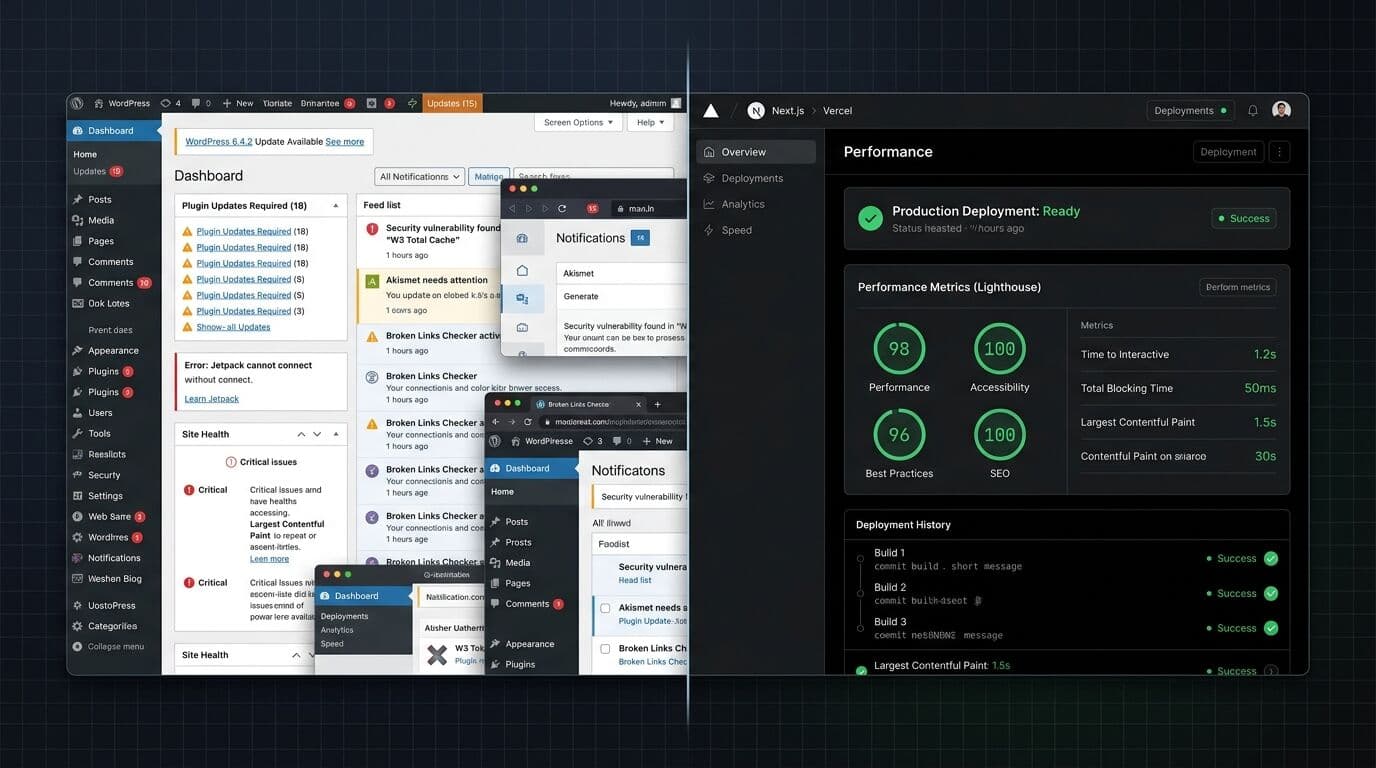
Next.js server-side rendering is the most practical solution I’ve seen for small business websites that want the flexibility of React without the SEO penalties of pure client-side rendering.
With SSR, the server generates fully-formed HTML before sending anything to the browser. Googlebot gets real content on the first request — no waiting, no second wave. Static Site Generation (SSG) goes even further for pages that don’t change often: the HTML is pre-built at deploy time and served from a CDN, which means near-instant load times globally.
Here’s the nuance, though. Next.js doesn’t magically fix everything. If your images aren’t optimized, if you’re loading unnecessary third-party scripts, or if your hosting setup is slow, you’ll still have performance problems. The framework gives you the tools — you still have to use them correctly. Next.js’s Image component, for instance, handles lazy loading and format conversion automatically, but only if you actually use it instead of plain <img> tags.
(Side note: this is also why “we built it in Next.js” doesn’t always mean “it’s fast and SEO-friendly” — the framework is only as good as the implementation. That’s a post for another day.)
For small business websites where performance and compliance both matter, pairing server-side rendering with ADA accessibility and proper semantic HTML creates a compounding advantage — better Core Web Vitals, more indexable content, and broader reach.
Diagnosing your current situation
Before assuming this is your problem, check a few things. Open your site in a browser, right-click, and view page source. Not “Inspect Element” — actual page source. What do you see? If your main content is there in the raw HTML, you’re probably okay. If you see mostly script tags and an empty container div, you have a client-side rendering problem.
You should also run your URL through Google’s Rich Results Test and pay attention to the rendered HTML output. That’s closer to what Googlebot is actually seeing. And pull up your Core Web Vitals in Google Search Console — if LCP is consistently above 2.5 seconds, that’s a flag worth investigating.
The PageSpeed Insights tool (Google’s own, free) will tell you specifically where your performance budget is being spent. Look at the “Opportunities” section. If you see “Reduce unused JavaScript” near the top, there’s a good chance your React SEO problems are bundle-size related.
What this actually costs you
Let’s be concrete about this. If your site gets 500 organic visits per month and you’re losing 20-30% of potential rankings to indexing and performance issues, you’re likely missing 100-150 visits monthly. For a service business converting at 3-5%, that’s 3-7 lost leads every month. At even a modest average job value of $300, that’s $900 to $2,100 in potential revenue you’re not seeing.
Most businesses underestimate this gap by a significant margin because they don’t have a comparison point. They see the traffic they get, not the traffic they’re not getting.
The fix — properly implemented server-side rendering, image optimization, bundle splitting, and clean semantic HTML — is typically a one-time investment that pays for itself within a few months of improved rankings. It’s not glamorous work. But it’s the kind of foundational stuff that actually moves the needle for a small business competing in search.
If you’re running a client-side React app right now and haven’t audited how Googlebot sees it, that’s where I’d start. Not with a redesign. Not with new content. With understanding whether your current content is even visible to the search engine you’re counting on.
Frequently Asked Questions
Does Google index JavaScript-rendered React pages?
Yes, but not reliably or immediately. Google uses a two-wave indexing process: first it crawls the raw HTML, then it renders JavaScript in a separate queue. Pages that depend entirely on JavaScript for their content can sit in that queue for days or weeks, and some are never fully indexed. Server-side rendering eliminates this problem by delivering complete HTML on the first request.
Is Next.js better than plain React for SEO?
For most small business websites, yes — significantly. Next.js supports server-side rendering and static site generation out of the box, which means Googlebot can read your content without needing to execute JavaScript. Plain React apps that use client-side rendering only put all the indexing burden on the browser, which creates the gaps in coverage described above.
How do I know if my React site has client-side rendering SEO problems?
View the page source (not “Inspect Element”) in your browser. If your main content — headings, paragraphs, product descriptions — isn’t present in the raw HTML, you have a client-side rendering problem. You can also use Google’s Rich Results Test to see what Googlebot actually renders when it crawls your URL.
Will fixing my React SEO problems improve my rankings quickly?
It depends on how crawled your site already is, but most businesses see measurable movement in Search Console impressions within 4-8 weeks of implementing proper server-side rendering. Rankings themselves tend to follow 2-4 weeks after impressions improve. It’s not instant, but it’s usually the fastest-returning technical SEO investment available.
Can I add server-side rendering to an existing React app without rebuilding everything?
Sometimes, but it depends on how the app was originally structured. Migrating from a pure client-side React app to Next.js typically requires restructuring your routing and data-fetching patterns. For heavily custom apps, this can be a significant effort. For many small business sites, it’s more practical to rebuild the public-facing pages in Next.js while keeping any complex app functionality as-is.
Does JavaScript SEO affect Core Web Vitals scores?
Directly, yes. Client-side rendered apps typically score lower on Largest Contentful Paint (LCP) because the browser has to download, parse, and execute JavaScript before displaying meaningful content. Google’s Core Web Vitals are a confirmed ranking signal, so poor LCP scores from heavy JavaScript bundles create a compounding SEO disadvantage on top of indexing issues.