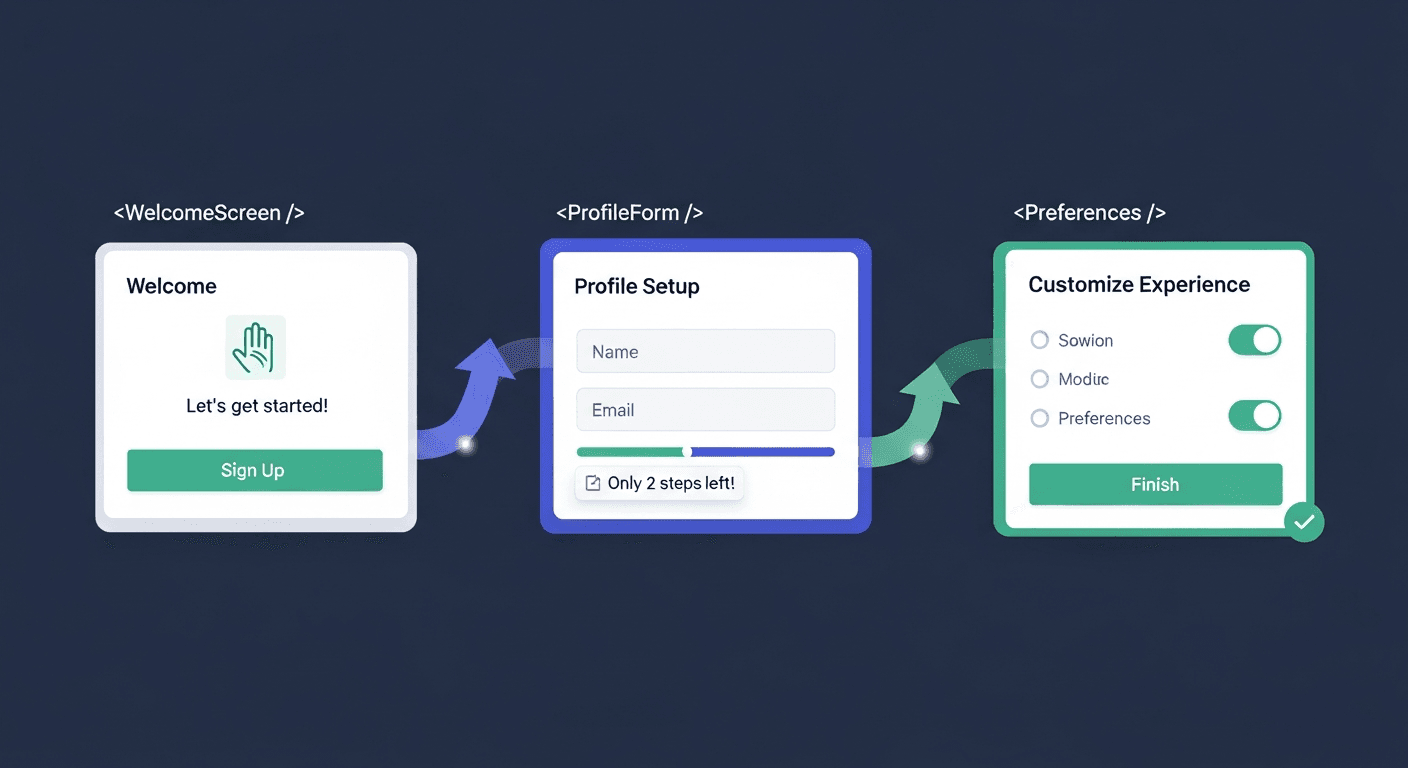
Most SaaS onboarding flows lose 80% of users in the first week. Not because the product isn’t good — because the first experience is awful.
I’ve audited dozens of SaaS onboarding flows over the past three years. The pattern is always the same: brilliant founders who can explain their value proposition in five words create 12-step signup flows that confuse everyone. They build beautiful landing pages, then dump users into forms that feel like tax preparation.
The fix isn’t better copy or flashier animations. It’s better component architecture.
The Real Problem with SaaS Onboarding Conversion
Here’s what kills conversions: cognitive load. Every additional form field, every unclear button, every “What happens next?” moment pushes users toward the back button.
Most React developers approach onboarding like they’re building a settings page. Same form patterns, same validation styles, same information hierarchy. But onboarding isn’t configuration — it’s seduction.
Users need to feel progress, not process. They need to see value before they give value. Traditional form components fight against this.
7 React Component Patterns That Fix Everything
1. Progressive Disclosure Cards
Stop showing everything at once. Break your signup into cards that reveal one decision at a time.
“`jsx
const OnboardingCard = ({ step, totalSteps, children, onNext }) => {
return (
);
};
“`
The key is making each card feel like a conversation turn, not a form section. One question, clear next action, visible progress.
2. Value-First Input Components
Regular input fields ask for information. Smart onboarding components show value while collecting data.
Instead of “Enter company name,” try a component that generates a custom workspace URL in real-time. Users see their branded space before they commit to creating it.
“`jsx
const WorkspacePreview = ({ companyName }) => {
const workspaceUrl = generateSlug(companyName);
return (
Your workspace will be:
);
};
“`
3. Smart Default Components
Pre-fill everything you can intelligently guess. Company size from email domain. Time zone from location. Industry from company name patterns.
But here’s the trick: make the smart defaults obvious and easily changeable. Users love when you’re smart, hate when you’re presumptuous.
4. Conditional Path Components
Different users need different onboarding flows. A startup founder and an enterprise admin shouldn’t see the same screens.
“`jsx
const ConditionalStep = ({ userType, children }) => {
const stepConfig = ONBOARDING_FLOWS[userType];
return React.Children.map(children, (child, index) => {
if (stepConfig.includes(index)) {
return child;
}
return null;
});
};
“`
This prevents the “this doesn’t apply to me” feeling that kills momentum.
5. Instant Value Components
Show users their personalized dashboard, generated report, or connected data before asking them to verify their email. Let them see the promised land first.
I worked with a project management SaaS that started showing users their imported projects on step 2 of onboarding. Their activation rate jumped 34%.
6. Contextual Help Components
Skip the question mark icons and tooltip hell. Build help directly into the component when users need it.
“`jsx
const SmartInput = ({ label, helpText, showHelpWhen }) => {
const [focused, setFocused] = useState(false);
const shouldShowHelp = showHelpWhen(focused, value);
return (
{shouldShowHelp && }
);
};
“`
7. Social Proof Components
Embed validation throughout the flow. Not just testimonials — show real usage data, team member avatars from their domain, or companies similar to theirs who are already customers.
Timing matters here. Show social proof right before asking for sensitive information like payment details or team invitations.
The Implementation Strategy
Don’t rebuild everything at once. Start with your biggest drop-off point — usually the second or third step where users abandon most frequently.
A/B test one component pattern at a time. Progressive disclosure cards typically show the fastest wins because they immediately reduce perceived complexity. Then work backward through the flow.
Track micro-conversions, not just completion rates. How many users click “Next” on each step? Where do they pause longest? These patterns tell you which components need the most work.
The Performance Angle
SaaS onboarding components need to load fast and feel responsive. Users in this context have zero patience for laggy interfaces.
Preload the next step while users are filling out the current one. Use optimistic UI updates. Make buttons feel instant even when API calls are happening behind the scenes.
Code-split your onboarding flow so the initial bundle is tiny. Users shouldn’t wait for your entire app to load just to sign up.
Measuring What Matters
Completion rate is vanity. Activation rate is everything.
Track how many users complete their first meaningful action in your app within 48 hours of signup. That’s your real onboarding success metric. Users who reach activation are 5x more likely to become paying customers.
Also measure time-to-value. How long from signup to first “aha moment”? The best SaaS onboarding flows get this under 3 minutes.
Common Mistakes to Avoid
Don’t make onboarding skippable. Users who skip setup have 12% lower retention than those who complete it. Make it valuable, not optional.
Avoid the feature tour trap. Don’t explain every button and menu. Show users how to accomplish one specific task that benefits them immediately.
Stop asking for data you don’t need immediately. Collect the minimum viable information to create value, then gather more details progressively over time.
Frequently Asked Questions
How long should SaaS onboarding take?
The initial signup flow should take 2-3 minutes maximum. Extended onboarding (workspace setup, team invitations, integrations) can span the first week, but users should see value immediately after the core signup.
Should I use a multi-step or single-page onboarding flow?
Multi-step almost always converts better for SaaS products. Single-page forms create cognitive overload and higher abandonment rates. Break complex onboarding into 4-6 focused steps with clear progress indicators.
What’s the most important onboarding metric to track?
User activation rate within the first session. This measures how many users complete their first meaningful action in your product immediately after signing up. It’s the strongest predictor of long-term retention and conversion to paid plans.
How do I reduce onboarding abandonment rates?
Focus on reducing friction at each step: minimize required fields, provide smart defaults, show value before asking for information, and use progressive disclosure to break complex flows into digestible pieces. The biggest wins usually come from showing product value earlier in the process.
Should I require email verification during onboarding?
Delay email verification until after users experience core product value. Let them explore and see benefits first, then verify their email when they try to save work or invite teammates. Immediate verification requirements kill momentum.
How do I personalize onboarding for different user types?
Use conditional component patterns that adapt the flow based on user responses. Ask one qualifying question early (role, company size, use case) then tailor subsequent steps accordingly. Different user segments need different information and see value in different features.


