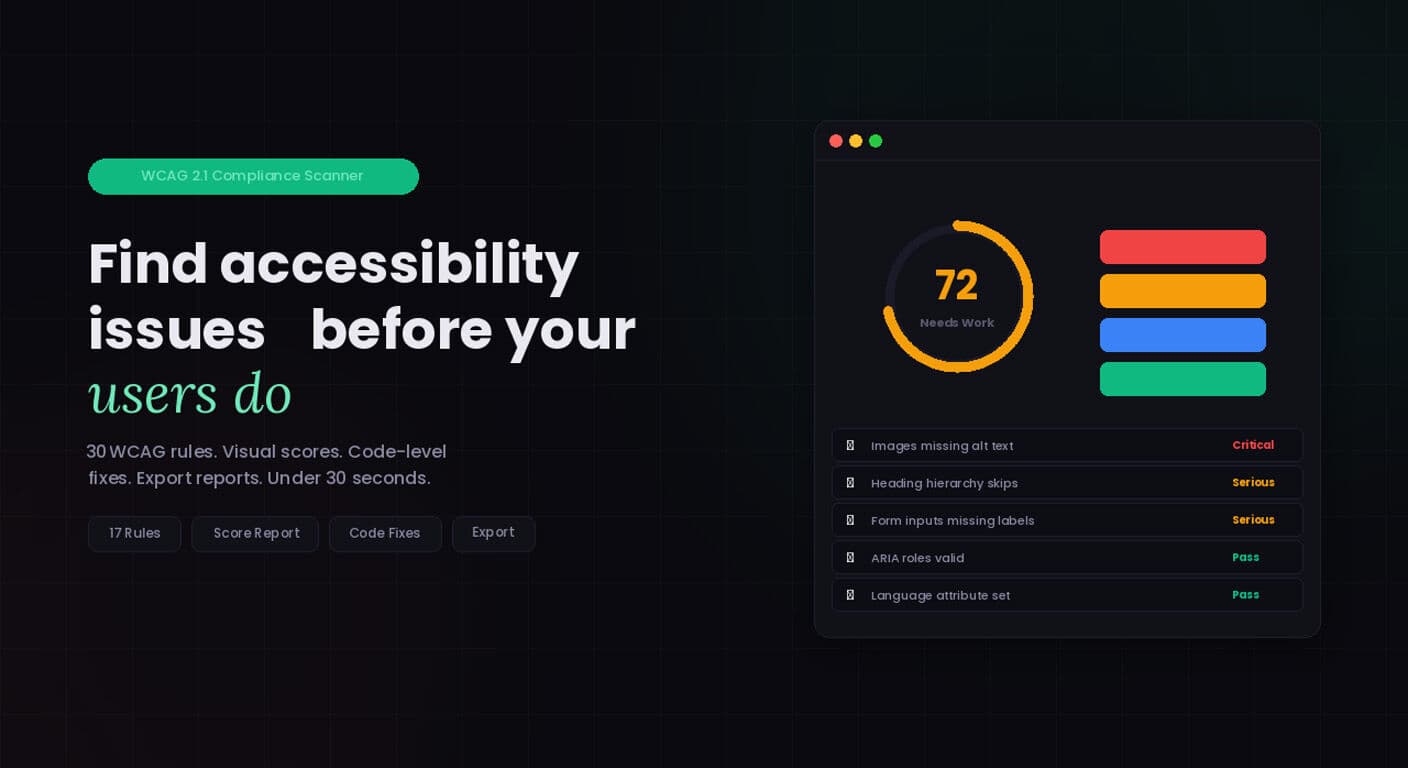
AccessKnight is an automated WCAG accessibility auditing SaaS. It scans any URL against 30 WCAG 2.1 rules, gives each issue a severity score, provides code-level fix suggestions, and sends monitoring alerts when new issues appear. I built it alone, nights and weekends, while working full-time.
This is the honest technical breakdown of how it’s built, what I got wrong the first time, and what I’d do differently.
The Stack
Frontend: Next.js 14 with App Router, TypeScript, Tailwind CSS, Framer Motion. Deployed on Vercel.
Backend: Supabase handles the database (Postgres with Row Level Security), authentication (email, magic links, OAuth), and Edge Functions for lightweight server logic.
Billing: Stripe Checkout and the Billing Portal. Webhooks handled in a Next.js API route that syncs subscription state to Supabase.
Scanning Engine: A Node.js service running axe-core via Puppeteer. This is the most compute-intensive part. Each scan launches a headless Chromium instance, loads the target URL, injects and runs axe, and returns structured results.
Email: Resend with React Email templates for transactional messages — welcome, password reset, billing events, and monitoring alerts.
Monitoring: Vercel Cron Jobs trigger scheduled re-scans for users on paid plans. Results are diffed against the previous scan to surface new failures.
The Scanning Architecture
The first version used an API route in Next.js to run the scan. It worked locally. It broke immediately in production because Vercel serverless functions have a 10-second timeout and a Puppeteer scan of a slow or JavaScript-heavy site can take 15–30 seconds.
The fix was decoupling the scan from the request/response cycle. A user submits a URL, which creates a scan job in the database with a pending status. A separate long-running service (a Fly.io worker with no timeout constraint) polls for pending jobs, processes them, updates the status to complete, and writes the results. The frontend polls the scan status endpoint on a short interval until it sees complete, then renders the results.
This architecture cost me two weeks to get right. The lesson: anything involving Puppeteer or Playwright needs to run on infrastructure built for long-running processes, not serverless functions.
The 30 WCAG Rules
AccessKnight checks against 30 WCAG 2.1 rules, covering the most common and impactful failures. These are organized by impact level:
Critical (automatically fails WCAG A)
Missing alt text, missing form labels, empty buttons and links, missing page title, missing document language, keyboard traps.
Serious (WCAG AA violations)
Color contrast failures, missing landmark regions, duplicate IDs on interactive elements, broken skip links, missing focus indicators.
Moderate (best practice violations that affect usability)
Insufficient link text, missing heading hierarchy, unlabeled iframes, tables without headers.
Each violation maps to the relevant WCAG success criterion, links to the MDN documentation for the affected element type, and includes a code snippet showing the violation with a recommended fix.
Stripe Integration
I used Stripe Checkout for the payment flow rather than building a custom card form. Stripe hosts the checkout page, handles PCI compliance, and manages the payment method. From my end, I create a Checkout Session server-side, redirect the user, and handle the checkout.session.completed webhook to provision access.
The trickiest part was keeping Supabase and Stripe in sync. The source of truth for subscription state lives in Stripe. Supabase stores a local copy that the app reads. The webhook handler updates the Supabase record on every relevant Stripe event: subscription created, updated, cancelled, payment failed, trial ending.
I also handle the failure edge case explicitly: if a webhook is missed or fails, the user’s subscription state in Supabase could go stale. So the app re-validates against Stripe on every protected page load for paying users, not just on webhook receipt. It’s a belt-and-suspenders approach that adds ~50ms per request for paying users but prevents access control bugs.
Row Level Security
Every table in Supabase has RLS policies. Users can only read their own scans, their own billing data, their own monitoring configs. This is enforced at the database layer — not just the application layer — so a bug in application code can’t accidentally expose another user’s data.
The policy pattern I use consistently:
SELECT: auth.uid() = user_id
INSERT: auth.uid() = user_id
UPDATE: auth.uid() = user_id
DELETE: auth.uid() = user_id
RLS is disabled on tables that don’t need it (public reference data like the WCAG rule definitions). The performance cost of RLS on large tables is real but manageable at current scale.
What I Got Wrong
Premature optimization on the database schema.
I over-normalized the results schema early on, which made the queries to render a scan results page involve four or five joins. I eventually flattened it — storing each violation as a JSONB object in a single column — which made reads much faster and the schema easier to reason about.
Not building the monitoring feature first.
Monitoring — scheduled re-scans with alerts — is the feature that justifies a subscription. One-off scans are useful but don’t create recurring value. I built monitoring in sprint 3. It should have been sprint 1.
Underestimating email deliverability.
Resend handles the sending, but making sure monitoring alert emails actually land in inboxes required proper SPF, DKIM, and DMARC setup on the sending domain. I lost a week to debugging this because monitoring alerts were going to spam.
What’s Next
The roadmap includes: PDF export of scan reports, agency multi-site dashboard, Slack and email digest options for monitoring alerts, and an API for teams who want to integrate AccessKnight into CI/CD pipelines.
The code is not open source, but the architecture decisions documented here are the ones I wish I’d read before starting. Build in public where you can — the feedback loop is worth the vulnerability.


